Business Events
Business events let you run a command when an entity changes.
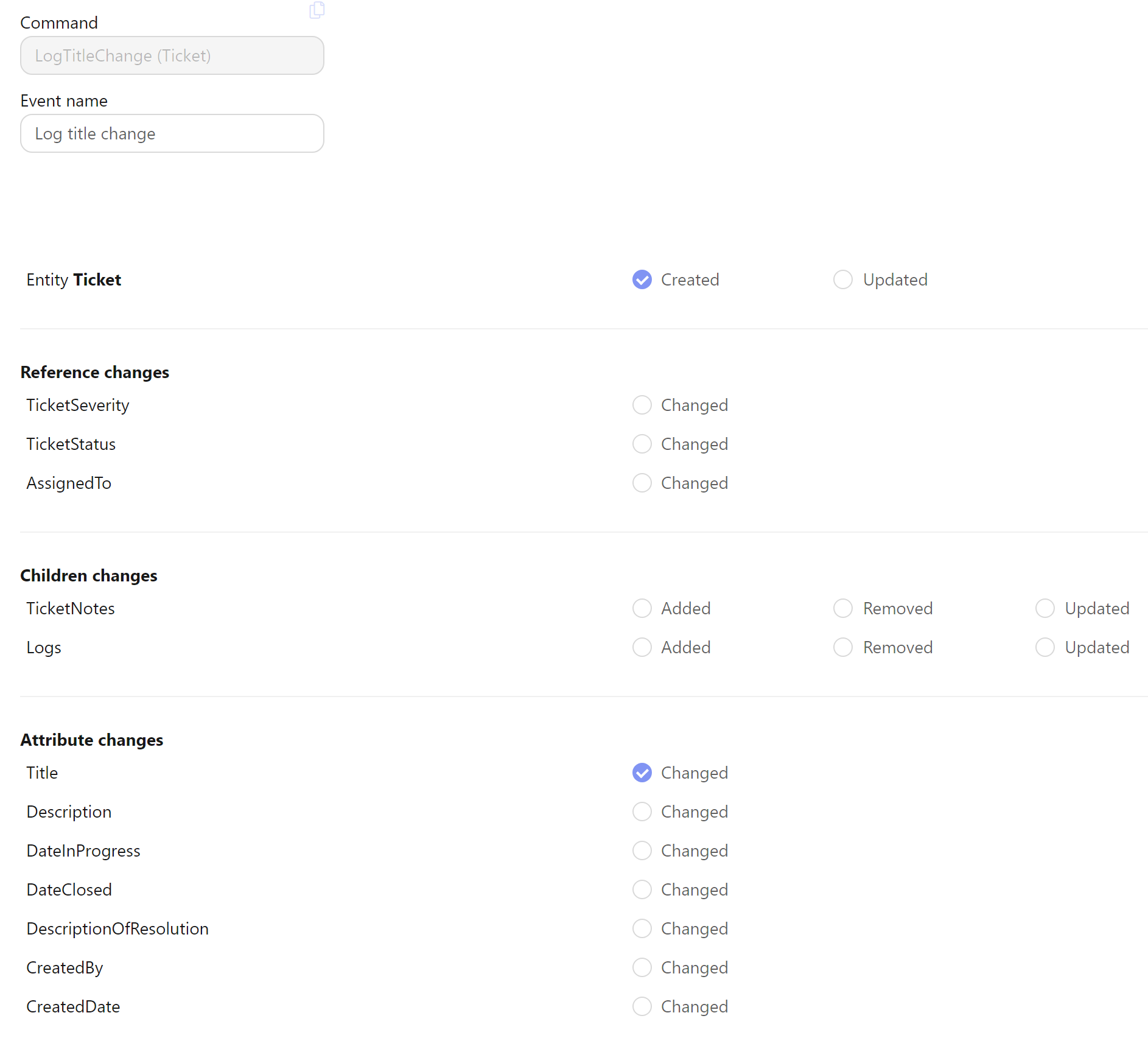
To create a new event, click on Add event, select a command and name the event. Then click Edit to select triggers and to map the event into the command's model.
The command's model is filled by Parameters, expressions of the form (changes, db, ctx) => .... changes
describes what the triggering save did to the entity: changes.Entity is the entity itself, and each child
collection exposes what was added, modified or removed - (changes, db, ctx) => changes.Items.Modified.FirstOrDefault()
hands a child command the child that changed. A command that needs the parent maps changes.Entity into its
parent reference.
Events can be triggered when an entity is created, updated or deleted, when a child entity is added, updated or removed, or on a change of a specific entity attribute.
Execution Mode
Each event has an Execution Mode that controls how the triggered command runs:
Queued (default)
The triggered command is placed in the command queue and executed asynchronously after the current request completes. This is the standard behavior and is suitable for most use cases.
Inline
The triggered command runs synchronously within the triggering command's context. It is executed on SaveChanges() — including the implicit save at the end of the command.
Use Inline when the triggered command's changes must be part of the same logical operation and visible to the user immediately (e.g. automatically populating related data when an entity is created).
Infinite loop prevention: if a command triggers itself — directly or indirectly — the repeated invocation is detected and skipped automatically.
Suppressing events inside a command: if you need to save intermediate changes without triggering further events, call database.SaveChangesWithoutEventPropagation() instead of SaveChanges(). This commits the changes to the database but does not evaluate any business event triggers.
Deleted entities
When an entity is deleted, only its Entity deleted trigger fires; no child or attribute trigger of the same save does. The row no longer exists by the time the event runs, so changes.Entity is a detached copy rebuilt from the deleted row: the same id and values, references load through their foreign key, its own collections are empty and its documents are null.
The same applies to children a save deleted: they are listed in changes.<Collection>.Removed as rebuilt copies. A command that receives such a copy through its model can read it, but it is not in the database. Children removed by a database-level cascade, and the far side of a deleted many-to-many, raise no event.